The Delivery Drivers Fix Kit
Built for delivery drivers (Amazon, UPS, FedEx).
Route drivers are paid by the hour or the day while the work is measured by stops, so the money leaks in the minutes around the route: load-out before clock-in, a lunch that was auto-deducted but never taken, a break docked, and overtime figured without the incentive. If you also drive for an app, that pay has no tax taken out. Each leak below works from your own stubs and a simple route log. This kit finds where the money leaks in your own work and gives you the steps and the words to close each one.
Opens secure checkout. Instant download after payment. 30 days to ask for a refund — refund policy · terms
The 7 leaks it covers
2 you can close it · 3 the other side owes it · 2 a pro decides
- Pre-trip and post-route work done off the clockWhere to look first: For two weeks, write down the clock-in and clock-out times on your stub next to the times you actually started and stopped working: vehicle inspection, load-out, rescue runs, returning packages after the last stop.Keep it from coming back: Clock in before the first task and clock out after the last one. Log any break that gets interrupted, the same day.The other side owes it
- Lunch auto-deducted but never actually takenWhere to look first: Check your stubs for an automatic meal deduction.Keep it from coming back: Log a missed or interrupted lunch the same day.The other side owes it
- Overtime paid on base rate instead of the regular rateWhere to look first: Pull your stubs for any week you worked over 40 hours (VERIFIED: DOL Fact Sheet #56A) AND got a route incentive, a safety or attendance bonus, or a peak-season bonus.Keep it from coming back: Every overtime week with extra pay on the stub, check the overtime rate the day you get paid.The other side owes it
- Stub never checked against your own route logWhere to look first: Each day, note the time you arrived at the station, the first stop, the last stop and the time you returned the vehicle.Keep it from coming back: Photograph the time screen at clock-in and at vehicle return.You can close it
- Route pay never compared across delivery employersWhere to look first: Write down your full package from a recent stub: hourly or daily rate, overtime, bonuses, benefits, vehicle type and schedule.Keep it from coming back: Re-check your rate against postings once a year and before you accept any job.You can close it
- The overtime-premium tax deduction never raised with a preparerWhere to look first: Find the overtime on your stubs for the year. The deduction covers only the premium part, the "half" in time-and-a-half, not the whole overtime check.Keep it from coming back: Save every stub with overtime on it in one folder through the year.A pro decides
- No tax set aside from money paid with nothing withheldWhere to look first: Write down which of your pay arrives with no tax taken out: app-based delivery payouts.Keep it from coming back: Move the set-aside the day each payment lands. Put every estimated-tax date your preparer gives you on the calendar in January.A pro decides
Free: one full leak from this kit
No sign-up, no email. Here is leak 1 of 7 exactly as it appears in the kit, so you can see what you get before you buy.
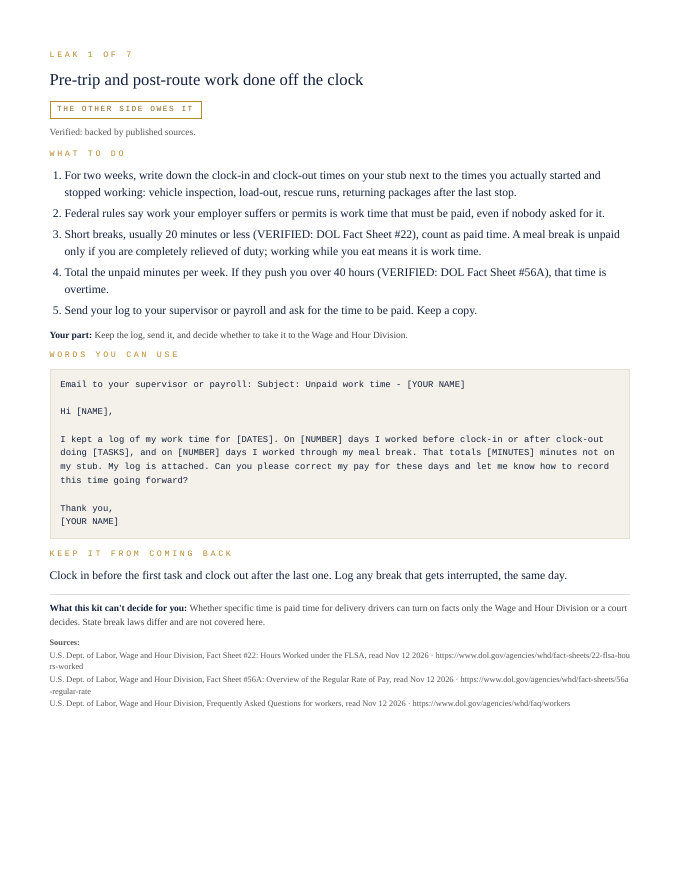
Pre-trip and post-route work done off the clock
The other side owes it- For two weeks, write down the clock-in and clock-out times on your stub next to the times you actually started and stopped working: vehicle inspection, load-out, rescue runs, returning packages after the last stop.
- Federal rules say work your employer suffers or permits is work time that must be paid, even if nobody asked for it.
- Short breaks, usually 20 minutes or less (VERIFIED: DOL Fact Sheet #22), count as paid time. A meal break is unpaid only if you are completely relieved of duty; working while you eat means it is work time.
- Total the unpaid minutes per week. If they push you over 40 hours (VERIFIED: DOL Fact Sheet #56A), that time is overtime.
- Send your log to your supervisor or payroll and ask for the time to be paid. Keep a copy.
Your part: Keep the log, send it, and decide whether to take it to the Wage and Hour Division.
Email to your supervisor or payroll:

Subject: Unpaid work time - [YOUR NAME]

Hi [NAME],

I kept a log of my work time for [DATES]. On [NUMBER] days I worked before clock-in or after clock-out doing [TASKS], and on [NUMBER] days I worked through my meal break. That totals [MINUTES] minutes not on my stub. My log is attached. Can you please correct my pay for these days and let me know how to record this time going forward?

Thank you,
[YOUR NAME]
Clock in before the first task and clock out after the last one. Log any break that gets interrupted, the same day.
What this kit can't decide for you: Whether specific time is paid time for delivery drivers can turn on facts only the Wage and Hour Division or a court decides. State break laws differ and are not covered here.
That's 1 of 7. The other 6 come the same way in the kit: steps, words to send, a habit to keep each one closed.
Opens secure checkout. Instant download after payment. 30 days to ask for a refund — refund policy · terms
What people in this work look up
When delivery drivers (Amazon, UPS, FedEx) go looking for answers, they search things like “amazon delivery driver pay”, “ups driver pay”, “fedex driver pay” and “dsp driver pay”. Those searches turn up forms, averages and other people's numbers. This kit starts from your own records instead: the 7 places money leaks in this work, where to look first and the words to send to close each one.
What you get for each leak
- Numbered steps to close each leak
- Your part, spelled out
- Words you can use: letters and scripts, ready to send (fill in the brackets)
- A habit that keeps each leak from coming back
- An honest line on what the kit can't decide for you
A page from the kit
Questions people ask
Pre-trip and post-route work done off the clock: where do I start?
Start here: For two weeks, write down the clock-in and clock-out times on your stub next to the times you actually started and stopped working: vehicle inspection, load-out, rescue runs, returning packages after the last stop. To keep it from coming back: Clock in before the first task and clock out after the last one. Log any break that gets interrupted, the same day.
Lunch auto-deducted but never actually taken: where do I start?
Start here: Check your stubs for an automatic meal deduction. To keep it from coming back: Log a missed or interrupted lunch the same day.
Overtime paid on base rate instead of the regular rate: where do I start?
Start here: Pull your stubs for any week you worked over 40 hours (VERIFIED: DOL Fact Sheet #56A) AND got a route incentive, a safety or attendance bonus, or a peak-season bonus. To keep it from coming back: Every overtime week with extra pay on the stub, check the overtime rate the day you get paid.
What it can't decide for you
This kit works from your own records. It doesn't give legal, tax, licensing or financial advice, and it never tells you what to charge. Where a CPA, attorney, insurer or state board makes the call, the kit says so and gets your records ready for them.
13-page PDF · instant download after payment · Code VYR-KIT-DELIVERY-01
Opens secure checkout. Instant download after payment. 30 days to ask for a refund — refund policy · terms
Next step
- Run your free LeakReceipts check — it reads your own receipts and records and shows where money is leaking out, line by line.
- TrueNET — the whole-picture money truth: what you actually keep after every cost, across everything you earn and spend.
Use Jobber or Housecall Pro? Run the free leak check — it reads your job export in your browser and shows the money leaks the software doesn't flag. Nothing is uploaded.